In today’s digital age, storage solutions evolve rapidly. One standout storage option is the SSD hard disk (Solid State Drive). Unlike traditional hard drives, SSDs offer significant advantages in speed, performance, and durability.
What is an SSD Hard Disk?
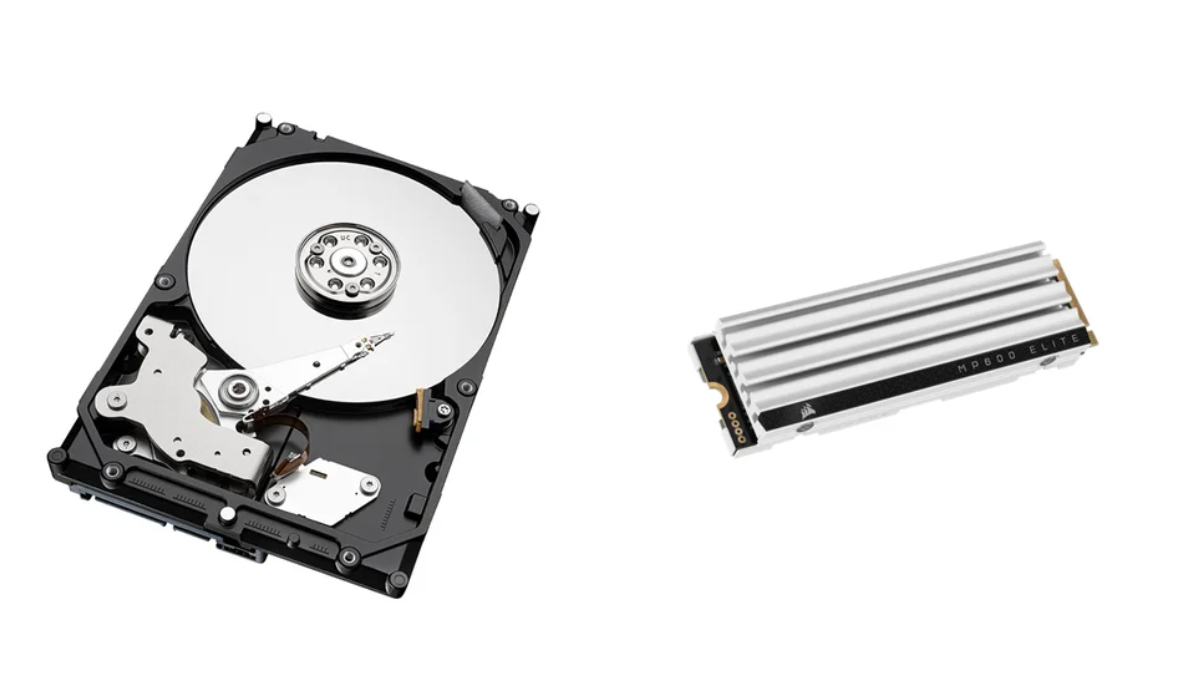
An SSD hard disk is a type of storage device that uses flash memory. Unlike HDDs (Hard Disk Drives) that rely on spinning disks to read and write data, SSDs have no moving parts. This difference provides several benefits:
- Faster Read/Write Speeds: SSDs significantly decrease load times and increase data transfer speeds.
- Durability: No moving parts mean fewer mechanical failures.
- Energy Efficiency: SSDs consume less power, making them ideal for laptops and mobile devices.
- Compact Size: With a sleek design, SSDs can fit into smaller devices.
Advantages of Using an SSD Hard Disk
Switching to an SSD offers numerous perks for both personal and professional use. Here are the key benefits:
- Speed:
- Boot times can be as quick as 10-20 seconds.
- File transfers happen in seconds rather than minutes.
- Reliability:
- Reduced risk of damage from physical shocks.
- Longer lifespan compared to traditional drives.
- Quiet Operation:
- No noise during operation since there are no moving parts.
- Less Heat Generation:
- Lower power consumption results in less heat, prolonging device life.
Types of SSDs
When choosing an SSD hard disk, it’s important to know the different types available. Here are the main types:
- SATA SSD:
- Connects via SATA interface; most common form and cost-effective but slower than others.
- NVMe SSD:
- Uses PCIe interface; provides much faster data transfer speeds, ideal for gaming and heavy applications.
- M.2 SSD:
- Small form factor; can be both SATA and NVMe. Perfect for ultra-thin laptops and desktops.
How to Choose the Right SSD Hard Disk
Selecting the best SSD can be overwhelming. Consider these factors:
- Capacity:
- Choose based on your storage needs—common sizes are 250GB, 500GB, and 1TB.
- Speed:
- Look for read and write speeds to match your usage. NVMe SSDs are faster than SATA SSDs.
- Form Factor:
- Ensure compatibility with your device—check if it supports SATA, NVMe, or M.2.
- Endurance and Warranty:
- Look for drives with high TBW (Total Bytes Written) ratings and longer warranties for better reliability.
Installing an SSD Hard Disk
Installing an SSD might seem daunting, but it’s a straightforward process. Here’s a step-by-step guide:
- Backup Your Data: Always back up important files before installation.
- Gather Tools: You’ll need a screwdriver and your new SSD.
- Open Your Device: Remove the cover of your laptop or desktop.
- Locate the Drive Bay: Find where the old hard drive is or where the SSD will go.
- Insert the SSD: If replacing, remove the old drive first, then insert the SSD.
- Reassemble Your Device: Put everything back together, ensuring the SSD is securely connected.
- Install Operating System: Boot up and install your OS or restore from backup.
Conclusion
In summary, an SSD hard disk can revolutionize your computing experience. With unmatched speed, durability, and reliability, it turns everyday tasks into seamless operations. Whether upgrading an old system or building a new one, consider integrating an SSD for optimal performance.